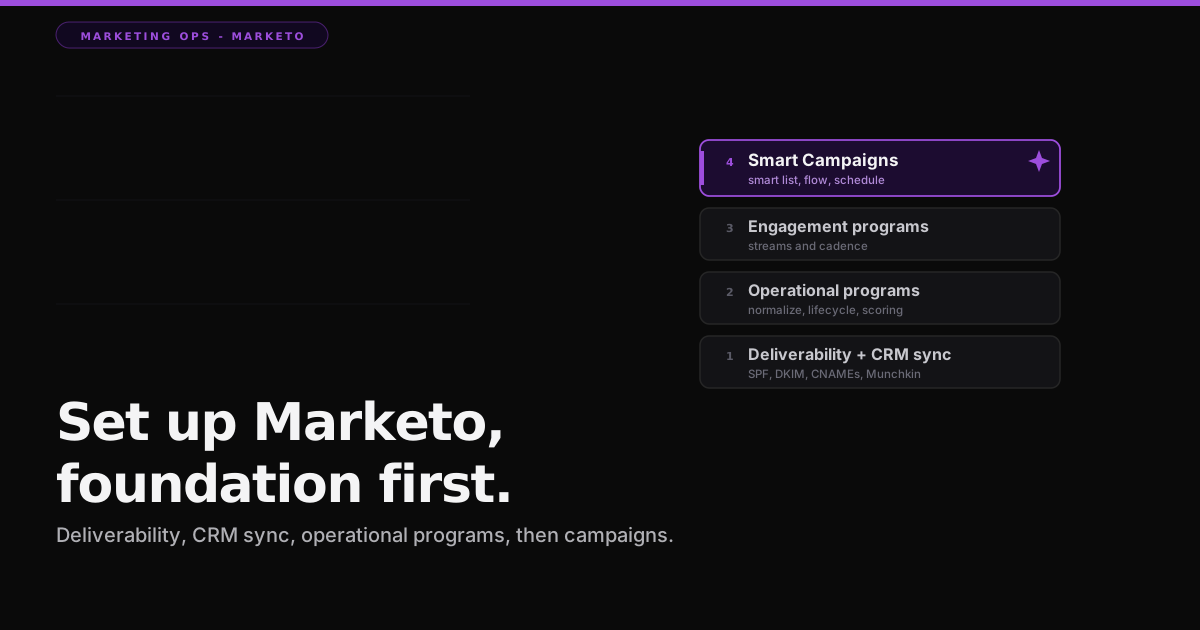

Marketo will do exactly what you tell it, at scale, including the wrong thing. That is the whole personality of the platform. The instances I have seen fail were set up campaign-first, before deliverability, before the CRM sync, and before the operational programs that keep the database clean. Then someone launched a nurture and it ran beautifully, over garbage data.
Nine years inside Marketo and HubSpot taught me that Marketo rewards discipline and punishes shortcuts harder than any tool I have used. Adobe Marketo Engage is a Leader in the Gartner Magic Quadrant for B2B Marketing Automation Platforms published on September 23, 2024, and Gartner's own note is that its strength is a granular, extensible data model with native CRM integrations. That power is exactly why a sloppy setup hurts so much. Here is the order that respects it.
What is the right order to set up Marketo?
Adobe's own Experience League setup guide lays out the sequence, and deliverability comes first, not last. The order is: ensure email deliverability with branded tracking links, allowlisting, SPF, DKIM, and MX records, then customize your landing page URLs with a CNAME and grab your Munchkin ID from Admin then My Account, then hand the DNS requests to IT, then finish the setup inside Admin once IT is done, then integrate your CRM, and finally add the Munchkin tracking code to your website. Six steps, and none of them is a campaign.
Deliverability and domains come first, not last
Marketo sends on your behalf from its own IPs, so receivers need proof you authorized it. That means SPF and DKIM, verified under Admin then Email then DKIM once IT finishes the DNS, plus branded tracking links on a CNAME and correct MX records for your sending domains. Adobe is blunt about the stakes: without SPF, mail that appears to come from your domain but leaves a Marketo IP has a higher chance of being marked spam. Munchkin, the tracking JavaScript, is what ties website activity back to a person, and it is required to integrate your site at all.
You can confirm the records resolve before you trust a single send. Run your sending domain through the free Email Deliverability Checker to see SPF, DKIM, and DMARC status in one pass, with no login and nothing leaving your browser. It reads the same records Gmail and Outlook read, so you find the gap before your first campaign does. Deliverability is the one setup step where being wrong is invisible until your numbers quietly collapse.
The CRM sync is the spine, so clean the data before it flows
Marketo ships native, bidirectional sync with Salesforce and Microsoft Dynamics, and that sync is the spine of the whole instance. Gartner named it a core strength for a reason: the lead database and the CRM stay in lockstep. The trap is that a sync amplifies whatever you feed it. Free-text job titles, inconsistent country values, and duplicate people all flow straight into scoring and routing and break them silently. Normalize the data first, then let it sync. This is the same lesson I keep relearning across every platform, and I laid it out in everyone is buying AI for marketing ops and nobody is fixing the data first. Marketo makes it more expensive to ignore, not less.
Programs, Smart Campaigns, and Smart Lists: the three words
Marketo's vocabulary trips up everyone at first. A Program is the container for a marketing initiative. A Smart Campaign is the automation engine inside it, and it has three tabs: the Smart List defines who qualifies, the Flow defines what happens to them, and the Schedule defines when it runs. A Smart List on its own is just a saved segment. Learn those three words and most of Marketo stops feeling like a foreign language.
Inside the Smart List, three ingredients do different jobs. Triggers listen for a live event and fire per person. Filters check a condition and narrow the audience. Flow steps are the actions. The distinction between a trigger and a filter is the single most important thing to understand in Marketo, because it decides whether your campaign is a batch or a trigger, and those two behave nothing alike.
Batch versus trigger: the classic new-admin mistake
A trigger campaign activates individually for each person the moment a live event happens. It cannot be scheduled to recur. You only activate or deactivate it, and Marketo runs it if any one of its triggers fires, so trigger logic is an OR. A batch campaign runs at a scheduled time against many people at once, uses filters only with no triggers, and can run once or on a daily, weekly, or monthly recurrence. The Schedule tab tells you which one you built. Mixing up the two intents is the error I see most from new admins.
One subtlety that saves hours of debugging: when you add filters alongside a trigger, they act as qualifiers. The trigger fires, then every filter must also be true before the person enters the flow. Triggers are OR, filters are AND. Get that backward and your campaign either fires for everyone or for no one.
The operational programs every instance needs
Before you build a single creative campaign, build the operational programs that keep the instance honest. Practitioners disagree on almost everything in Marketo, but not on this list. You need data normalization that converts free-text into controlled values, mapping messy job titles to a clean Role or Persona and standardizing country, state, and industry. You need a data management program, the one the community calls a data washing machine, that runs nightly to dedupe, normalize, and wash records before they sync. You need a lifecycle program built on the Revenue Cycle Model that moves people between stages on triggers. You need lead scoring. And you need clean routing that only fires once the data underneath it is trustworthy.
These are not glamorous, and they never make it into a demo. They are also the difference between a Marketo instance that gets more valuable every quarter and one that rots. Build them first, keep them running in the background, and every campaign you launch afterward inherits a clean database instead of fighting one.
Lead scoring, done the Marketo way
Marketo scoring is two numbers, not one. You keep a Behavior Score and a Demographic Score in separate custom fields and combine them into a total. Behavioral campaigns add points through a Change Score flow step for form fills, email clicks, webinar attendance, and site visits. Demographic campaigns score title, company size, and geography. You subtract points too, for students, competitors, and personal email domains, so a free-mail address never scores like a buyer. A common practitioner guideline, not an Adobe rule, is that neither score should exceed about half of your MQL threshold, so a lead has to be both a fit and engaged to qualify. Thresholds of fifty to a hundred points are typical, but that is your model to tune, not a number to copy.
Engagement Programs and the exhaustion trap
Nurture in Marketo lives in Engagement Programs, which present content to people in a systematic way. Each program holds streams, a stream is a pool of prioritized content, and the stream cadence sets how often content goes out. Every person also has a person cadence, Normal or Paused, that governs whether they can receive anything right now. When someone has received every piece of content in a stream, Adobe calls them Exhausted, and they simply wait until you add new content.
Two limits matter. Adobe caps a subscription at 100 active engagement programs, and it states plainly that engagement programs are not built for operational emails, so keep your alerts and receipts out of them. The trap that catches people is that exhausted leads do not automatically move to the next stream. A transition needs a triggering event, so the standard workaround is a nightly batch campaign that finds exhausted members and moves them into the next stream before the next cast runs.
The honest caveat on editions and pricing
Marketo Engage sells in four editions, Growth, Select, Prime, and Ultimate, and Adobe publishes no dollar figures. Pricing is quote-based through Adobe sales and scales with your database size, so treat every price you find on a third-party blog as an estimate, not a fact. The platform also keeps changing. Adobe announced generative AI across Marketo on March 26, 2024, required the move to Adobe Identity by September 30, 2025, deprecated Forward to a Friend in the legacy email editor on September 29, 2025, and is retiring the SOAP API on July 31, 2026. If a guide you are reading predates those dates, check it against Adobe's current release notes before you rely on it.
The setup order in this post does not expire the way pricing and features do. Deliverability first, then the CRM sync, then the operational programs, then campaigns. Marketo is a power tool, and like any power tool it rewards the person who set the guide fence before switching it on.
If you are running the other enterprise platform, or deciding between them, I wrote the same field guide for HubSpot, the other Leader in that 2024 Gartner report. HubSpot leans toward ease of use, Marketo toward depth and control, and the setup discipline that makes either one pay off is the same.
So before you build your first Smart Campaign this week, ask the honest question: are the operational programs underneath it running, or are you about to automate on top of a database nobody is cleaning?
Amit