
Most HubSpot problems I get called in to fix are not HubSpot problems. Someone built workflows in the first week, before the data model, the lifecycle stages, or email authentication were set. The automation ran fine. It was running on a broken foundation, and it moved the mess around faster.
Nine years inside HubSpot and Marketo taught me that the order of setup matters more than the tool. HubSpot is a Leader in the Gartner Magic Quadrant for B2B Marketing Automation Platforms published on September 23, 2024, named alongside Salesforce, Adobe, and Microsoft. It is genuinely good software. It will still make a mess if you wire the automation before the plumbing. Here is the sequence that avoids it, and the workflows that pay off once the foundation holds.
What is the right order to set up HubSpot?
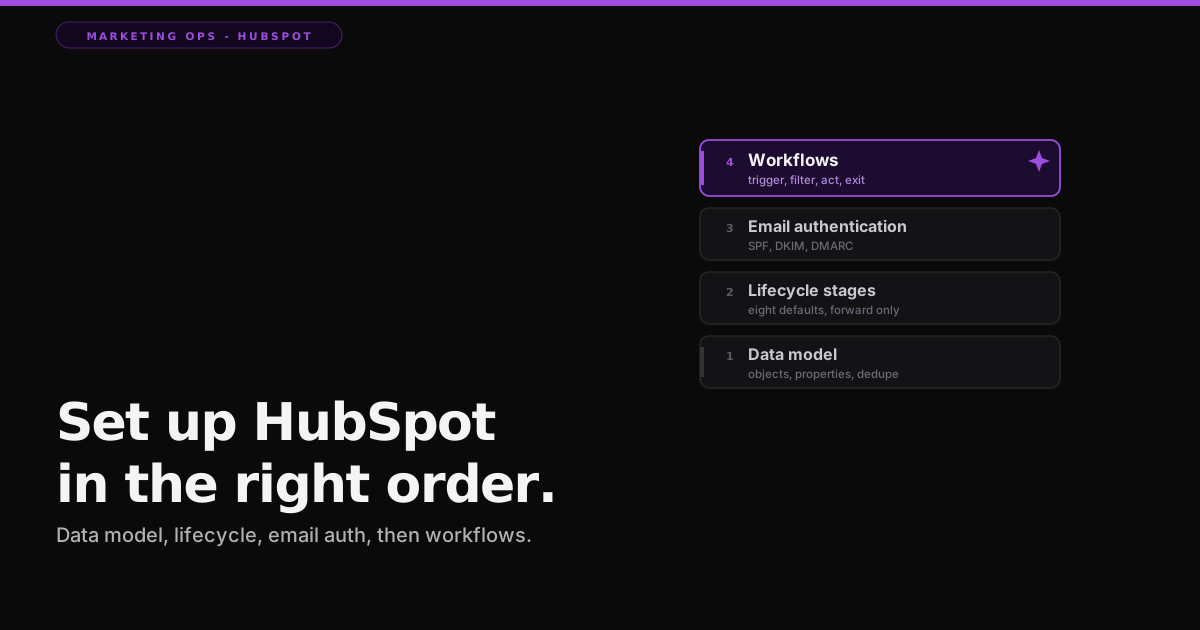
Set up HubSpot in six steps, and build workflows last, not first: users and permissions, then the data model, then a clean import with deduplication, then lifecycle stages, then email authentication, and only then workflows. Each step depends on the one before it. Skip ahead and you automate against fields and stages that are not ready.
Fix the data model before you automate anything
HubSpot stores everything in standard objects: contacts, companies, deals, and tickets. Each object has properties, and there are two kinds. Default properties ship with the account (First Name, Email, Lifecycle Stage, and dozens more), and some of them cannot be edited. Custom properties are the ones you create for your own business, and the number you get is capped by your subscription tier. Decide what you actually need before you import, because every workflow, list, and report you build later reads these fields.
Deduplication is the part people learn the hard way. HubSpot automatically deduplicates contacts on the Email property and companies on the company domain name. On import, a match updates the existing record and no match creates a new one. That single rule is the difference between one clean contact and five copies of the same person. I wrote a whole post on why this matters before you turn on anything clever: everyone is buying AI for marketing ops and nobody is fixing the data first. HubSpot is no exception. Clean the data model, then automate.
Lifecycle stages: eight defaults, and they only move forward
HubSpot ships eight default lifecycle stages: Subscriber, Lead, Marketing Qualified Lead, Sales Qualified Lead, Opportunity, Customer, Evangelist, and Other. Set these up before you build workflows, because a large share of your automation will read or write this one field. The catch that surprises new admins: default automation only moves a record forward through the stages. If you need a record to move backward, for example when a customer churns or a deal dies, you build that reset yourself.
Authenticate your sending domain, or the inbox decides for you
Before you send a single campaign, authenticate the domain you send from. HubSpot's setup adds three record types: DKIM as two CNAME records, SPF as one TXT record, and DMARC as one TXT record. The status shows as Not authenticated, Partially authenticated, or Authenticated, and per HubSpot's own documentation, updated March 3, 2026, you cannot use your own domain in the From address without DKIM verified. Skip this and your carefully built nurture lands in spam, which no workflow can fix.
You can check the three records resolve before you trust them. Run your domain through the free Email Deliverability Checker to see SPF, DKIM, and DMARC status in one pass, with no login and nothing leaving your browser. It is the same check the mailbox providers run on you, so it tells you what Gmail and Outlook will see before your first send does.
How do HubSpot workflows actually work?
A HubSpot workflow has four parts: an enrollment trigger that decides who enters, filters that narrow it further, actions that do the work, and goal or unenrollment criteria that decide when a record leaves. By default a record enrolls only the first time it meets the criteria, unless you explicitly turn on re-enrollment. You can stack up to 250 filters in a single set of enrollment triggers, which is more than enough rope to build something precise or to hang yourself.
One thing to settle before you build: the full Workflows tool needs Marketing, Sales, or Service Hub at the Professional or Enterprise tier. Free accounts get one simple workflow per form that sends an email after a submission, with a single action. Starter raises that to ten actions in a simple workflow. Real, multi-step, cross-object automation starts at Professional. If your plan is to run lifecycle and scoring on a free plan, that plan does not exist.
The workflows worth building first
Once the foundation holds, a handful of workflows earn their keep immediately. Start with lead nurturing: enroll on a form submission or list membership, branch on whether the contact opened or clicked, space the sends with delays, and set a goal so a contact who reaches MQL drops out automatically instead of getting nurtured past the point of interest.
The one that saves the most arguments is the MQL handoff. Enroll a contact when their lead score crosses your threshold, set the lifecycle stage to Marketing Qualified Lead, rotate the record owner to the next rep in a round robin, create a task for that owner, and fire an internal notification to Slack or email. Sales stops asking where the leads went, because the workflow routed and logged every one. Note that manual lead scoring is a Professional feature and the predictive, machine-learning version is Enterprise only, so build the version your tier actually includes.
After those, three more pay off fast. A data hygiene workflow that standardizes country, state, and job-title casing so your segments stop leaking. Internal notifications that ping a rep when a high-intent contact views pricing while sitting on a high score. And a re-engagement flow that finds contacts with no activity in ninety days, sends a win-back, and quietly marks the ones who stay silent as dormant so they stop dragging your send reputation down.
The gotchas that will bite you
Re-enrollment is where good intentions go to loop. You can only re-enroll a record on properties of the same object type as the workflow, and activities and list membership cannot be used as re-enrollment triggers at all. So the "run this again every time they come back" flow that people sketch on a whiteboard often cannot be built the way they drew it.
Worse, a workflow that sets the same property it re-enrolls on can loop forever, re-triggering itself every time it runs. The fix is narrow re-enrollment triggers plus a real goal that takes the record out. That goal step is not decoration. It is the brake.
Two more that catch people. A suppression list is not unenrollment. Suppression stops a contact receiving a send, but the record still sits inside the workflow running every other step, so you need explicit goal or unenrollment criteria to actually remove it. And every marketing email must be tied to a subscription type. HubSpot suppresses anyone who has not opted into that type, no matter what your workflow logic says. When a record does something you did not expect, the enrollment history is where you debug it, because a record actively moving through steps behaves differently from one that already finished.
The honest caveat on tiers and pricing
Everything about which features live behind which paywall moves, so treat it as time-sensitive. Per HubSpot's own pricing announcement, it switched to a seat-based pricing model on March 5, 2024, and it repriced its Breeze AI agents to outcome-based pricing in April 2026, with the customer agent moving to fifty cents per resolved conversation. That last number is HubSpot's own figure, reported through the trade press, so I would treat it and every list price as marketing until you see it on the invoice. The setup order in this post does not move. The price of the tiers it runs on does, so check the current numbers at the source before you budget.
None of this is exotic. It is the boring foundation that decides whether your automation compounds or quietly corrupts your database. HubSpot rewards teams that build the data model, the lifecycle, and the authentication first, then let the workflows run on top of something solid. It punishes the ones who start with the fun part.
If you are setting up the other enterprise platform, or choosing between them, I wrote the same field guide for Adobe Marketo Engage, the other Leader in that 2024 Gartner report. The tools differ. The discipline is identical.
So before you build your first workflow this week, ask the honest question: is the foundation under it actually ready, or are you about to automate a mess?
Amit