
I spent ten years building marketing operations infrastructure. Most of it ran on enterprise software that cost more than my first apartment.
After enough cycles of "I just need to resize this image for four platforms" turning into a procurement conversation, I started writing small tools myself. Then I put them online.
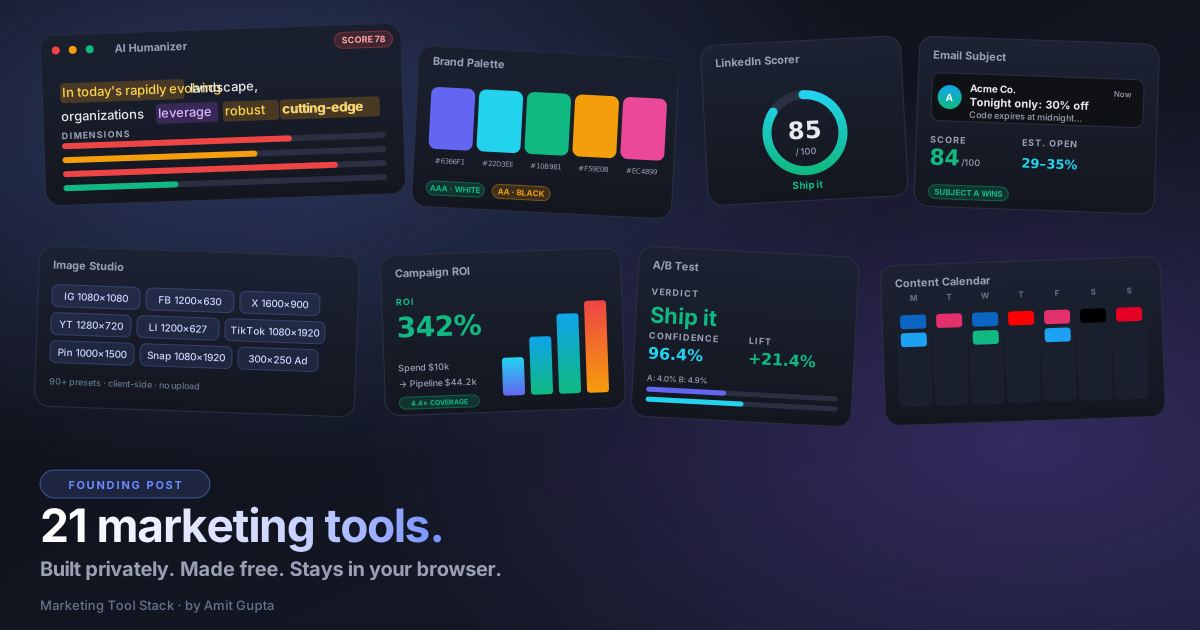
This site bundles 21 of them. No accounts. No uploads. No tracking. Everything runs in your browser.
Why this exists
Two things kept happening on my team.
One: we'd spend an hour finding the right tool for a five-minute job. Image resizer? Locked behind a Canva login. UTM builder? Either a Chrome extension that disappeared, or a Google Sheet someone broke six months ago. SERP preview? Half-broken on a SaaS site with banner ads selling you something else.
Two: anything good required uploading our creative or our draft copy to someone else's server. For a security company that talks to financial services and government buyers, that's not a casual choice.
So I started writing them for our own team. The Image Studio came first because resizing for 90+ ad placements was eating half a designer's week. The AI Humanizer came when I realized half of what teams ship sounds like every other vendor.
I'm putting them online for the same reason I read other people's open source: somebody else is going to find these useful, and that's the entire payoff.
What's in the stack
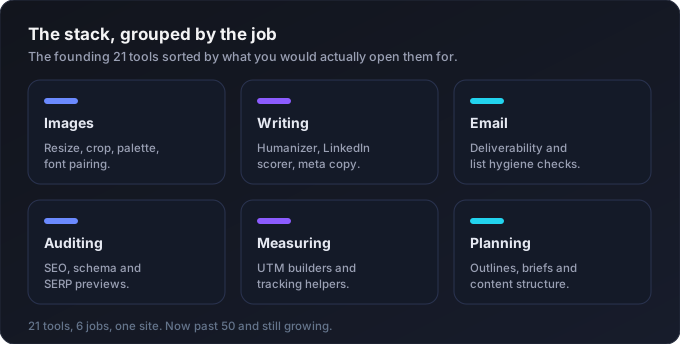
Twenty-one tools, grouped by what you'd actually use them for.
When you're working with images
Design Studio is the resize-crop-convert tool that started this. Drop in one image, pick a social or ad preset, and get a perfectly-sized export. 90+ presets cover Meta, Google Display, Instagram, TikTok, LinkedIn, X, YouTube, Pinterest, Snapchat and Threads. The Canvas API does the work, so the file never leaves your laptop.
Social Image Size Checker answers "is this image safe for LinkedIn?" Type in dimensions. It tells you which of 24 platform placements you fit exactly, which are crop-safe, and which you fail.
Brand Palette Builder pulls the dominant colors out of any uploaded image using a median-cut algorithm. You get base colors, an 11-step shade scale per color, WCAG contrast checks against black and white, and exports as CSS variables, Tailwind config, or JSON.
Font Pairing Suggester picks three serif partners for whatever primary sans you've chosen. The preview uses real Google Fonts loaded live, so what you see is what you'd ship.
When you're writing
AI Writing Detector + Humanizer is the tool I use on every draft now. It checks text against 50+ patterns: chatbot artifacts, em dashes, formulaic openers, knowledge-cutoff disclaimers, AI-tell vocabulary, Tier 2 vocab clusters, and a curated list of overused B2B phrases. It scores 0 to 100, highlights every flagged phrase, and rewrites the whole thing in your chosen voice. All client-side regex and substitution tables. No API calls.
LinkedIn Post Scorer grades a post on hook strength, length fit, paragraph rhythm, CTA clarity, emoji balance, and AI-tell phrases. The first line gets scored on whether it's a question, a number, or a punchy claim. The last line gets scored on whether it actually asks for something.
Blog Outline Generator takes a topic, an audience, and a search intent. It returns an H1 and seven H2 sections with H3 subheadings, per-section word counts, a target total, and a meta description that fits Google's preview. The structure shifts depending on whether the reader is in awareness, consideration, or decision mode.
Meta Tag Generator writes title and description tags with live character counts and a Google SERP preview that updates as you type. Pick a page type (Blog, Product, Landing, Home, Category) and you get a starter template to edit.
Email Subject Line Tester runs an A/B comparison on two subject lines. It checks length, mobile truncation at 35 characters, spam triggers, emoji weight, power words, personalization tokens, and preview text quality. A winner pill tells you which one to send.
FAQ Schema Generator takes up to 10 Q&A pairs and outputs valid JSON-LD FAQPage schema. It flags answers under 40 words because they tend not to win rich results. Drop the output into your page head and validate with Google's Rich Results Test.
Ad Copy Generator writes platform-tuned variants using six frameworks: AIDA, PAS, BAB, FAB, 4-U, and FOMO. The character limits are real (30 for Google headlines, 125 for Meta primary text, 70 for LinkedIn headlines, 280 for X) and the tool enforces them per slot.
When you're sending email
Cold Email Sequence Builder writes a four-step outbound sequence. AIDA on day 0, PAS on day 3, social proof on day 7, breakup on day 12. Toggle between B2B SaaS, enterprise and SMB persona modes. Every email stays under 100 words.
Email Signature Generator gives you three signature styles (stacked, minimal single-line, initial avatar) with your brand color and a live preview. The output is clean HTML you can paste straight into Gmail or Outlook.
When you're auditing
Landing Page Audit runs 14 checks on a page. You can paste HTML or you can give it a URL, and a small serverless function will fetch the page for you. The audit covers hero clarity, CTA strength, social proof, form friction, load weight, and trust signals. It also outputs Google Ads Quality Score estimates and Meta/Instagram Quality Ranking estimates, based on what each platform publicly says it evaluates on the landing-page side.
SEO + AEO Content Rater has its own page. It scores blog content against 24 checks split between traditional SEO (keyword placement, density, word count, links, image alt) and AEO (direct-answer sentences, question headings, lists, citations, freshness, paragraph length). Two separate sub-scores, one combined grade.
UTM Builder & Audit has three modes. Build a clean tagged URL. Audit a single URL for hygiene issues. Or paste a list of dirty URLs and get them all cleaned in one pass. The builder slugifies every input (lowercase, hyphens, no spaces) automatically.
When you're measuring
Campaign ROI Calculator takes spend, leads, deal size, win rate, and quota. It returns CPL, CAC, blended ROI, pipeline coverage versus quota, and a funnel bar showing every dollar of spend translated into pipeline.
A/B Test Significance runs a two-proportion z-test on your control and test variants. Confidence as a percentage, relative lift, the actual p-value and z-score, plus the sample size you'd need to reach 95% if you keep your current conversion rates. The verdict is one of four: Ship it, Strong signal, Keep running, or Inconclusive.
When you're planning
Marketing Brief Builder is an eight-step wizard. Project name, objective, audience, key message, channels, budget, timeline, success metrics. The brief builds itself on the right panel as you fill in the form. Copy it as text or download it as a .txt file, then send to your designer or your agency without writing a brief from scratch.
Event & Webinar Checklist is a reverse-engineered task list. Pick event type (webinar, booth, virtual conference, field event) and date. You get seven timeline buckets (8 weeks out down to post-event) with three or four tasks per bucket. Each task is owner-coded (Marketing, Sales, Ops, Design) and clickable to mark complete.
Content Calendar is a drag-and-drop weekly planner. Click any day to add a post (title, platform, time, notes). Drag posts between days. Eight platforms with best-post-time hints built in. Save locally. Export to CSV or ICS for your scheduler of choice.
The pattern across all of them
Five rules I tried to keep.
One. Every tool works on its own. No account, no login, no setup.
Two. Your input never leaves your browser, unless a tool actually needs to fetch a URL on your behalf. The Landing Page Audit does this for public URLs through a Vercel function. Nothing else hits a server.
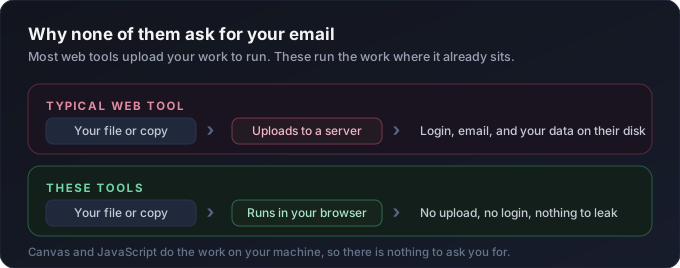
Three. Output is downloadable in the format you need. CSV, ICS, JSON, HTML, .txt. No "upgrade to export" walls.
Four. Real defaults. Most tools open with a working example loaded so you can see output before you type anything.
Five. Where there's math or a lookup, the tool updates as you type. No "click Generate" button on calculators.
What's next
Probably more tools. Probably some refactors. Definitely a few bugs.
If you build something on top of these, or you fix something that's broken, send me a note on LinkedIn.
Which one are you reaching for first?
Amit