Desktop video editor
PromptCut beta
The video editor you drive with your own AI.
PromptCut is a desktop editor for Windows and macOS where you prompt your edits in your own AI over MCP. Native ffmpeg does the work locally, so your footage never leaves your machine and there are no provider API keys to manage. You bring the model, PromptCut brings a real timeline.
Runs from source today: clone the repo, then npm install and npm start. Packaged one-click installers are on the roadmap.
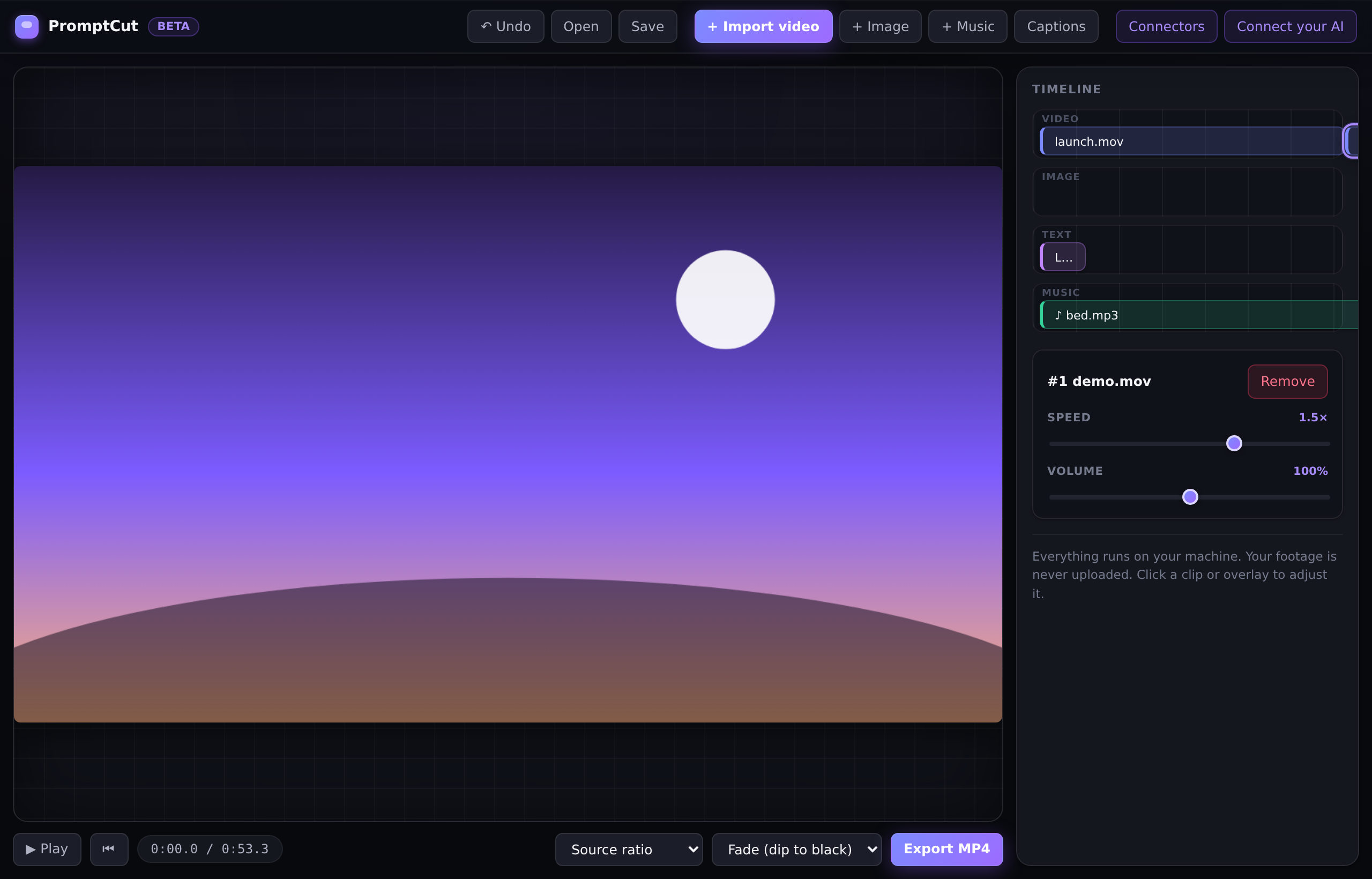
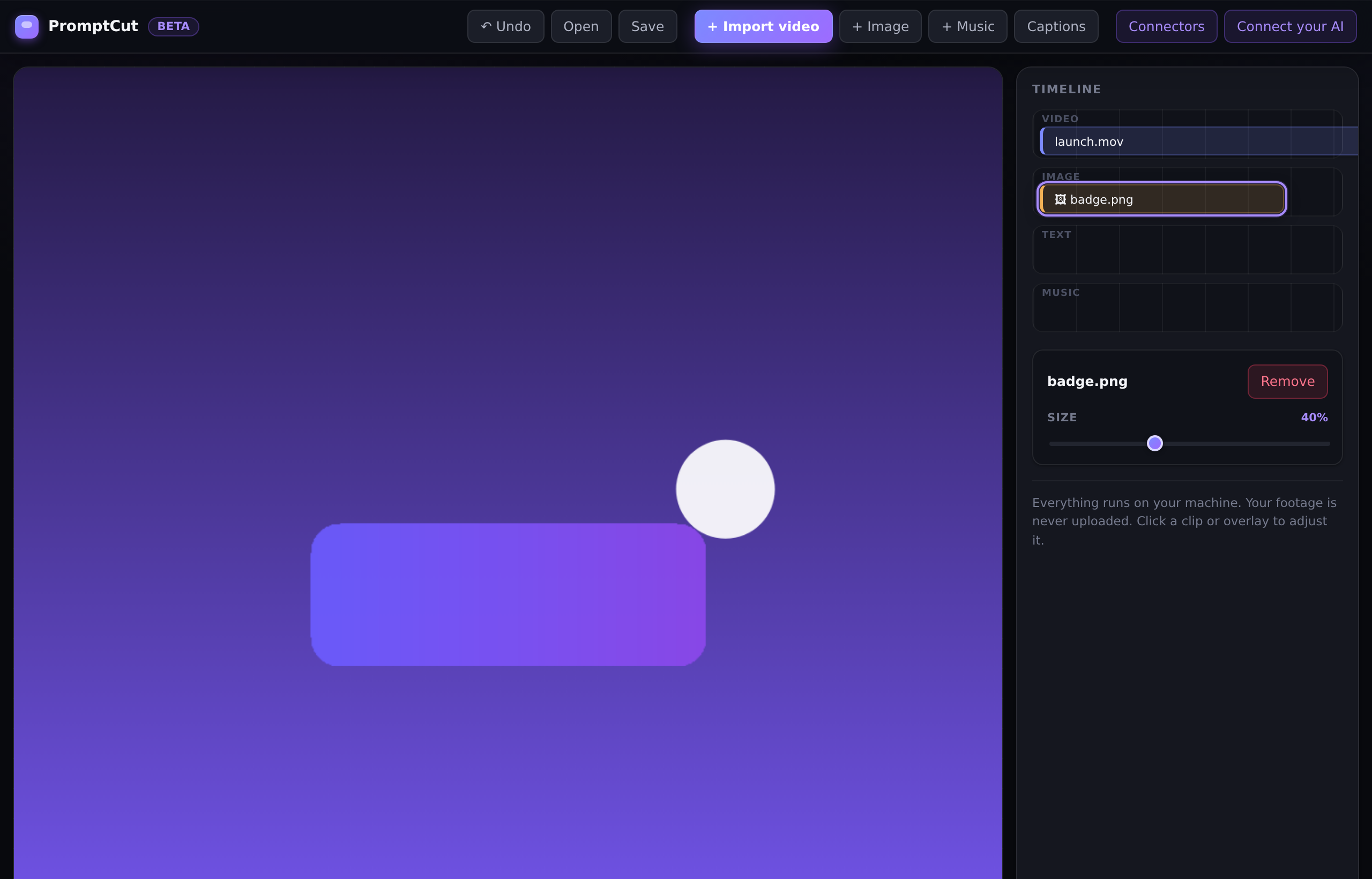
A full timeline: clips, a title overlay, a music track, and a live preview of the composed frame.
Why PromptCut
Four things that make it yours
Your AI, not ours
Bring your own model
PromptCut has no built-in model to lock you in. Connect Claude, Cursor, or any MCP host and drive edits from the assistant you already pay for. Switch models whenever you want. The editor never depends on a provider we chose for you.
Never leaves your machine
Local by default
PromptCut runs a local MCP server that listens on loopback only. Your source files stay on your device, and every render happens through native ffmpeg on your own hardware. Nothing about your footage is uploaded to a cloud service to be edited.
No keys, no watermark, no seat
Free, no lock-in
Zero API keys are stored. There is no watermark on your exports, no per-seat license, and nothing gated behind credits. PromptCut is free to use. The source is on GitHub if you want to read it or run it yourself.
A full timeline, not a gimmick
A full timeline, not a gimmick
This is a proper non-linear editor, not a prompt box bolted onto a filter. Twenty-nine editing tools run on native ffmpeg, from trim and split to crossfades, aspect reflow, color grading, Ken Burns zoom, picture-in-picture, and transcript-powered auto-editing that cuts silences and filler words for you. Every edit is undoable, so you can experiment without fear.
How it works
Three steps from install to export
Open PromptCut
Launch the app and it starts a local MCP server on loopback. That server is how your AI reaches the timeline. Nothing is exposed to the network.
Connect your AI once
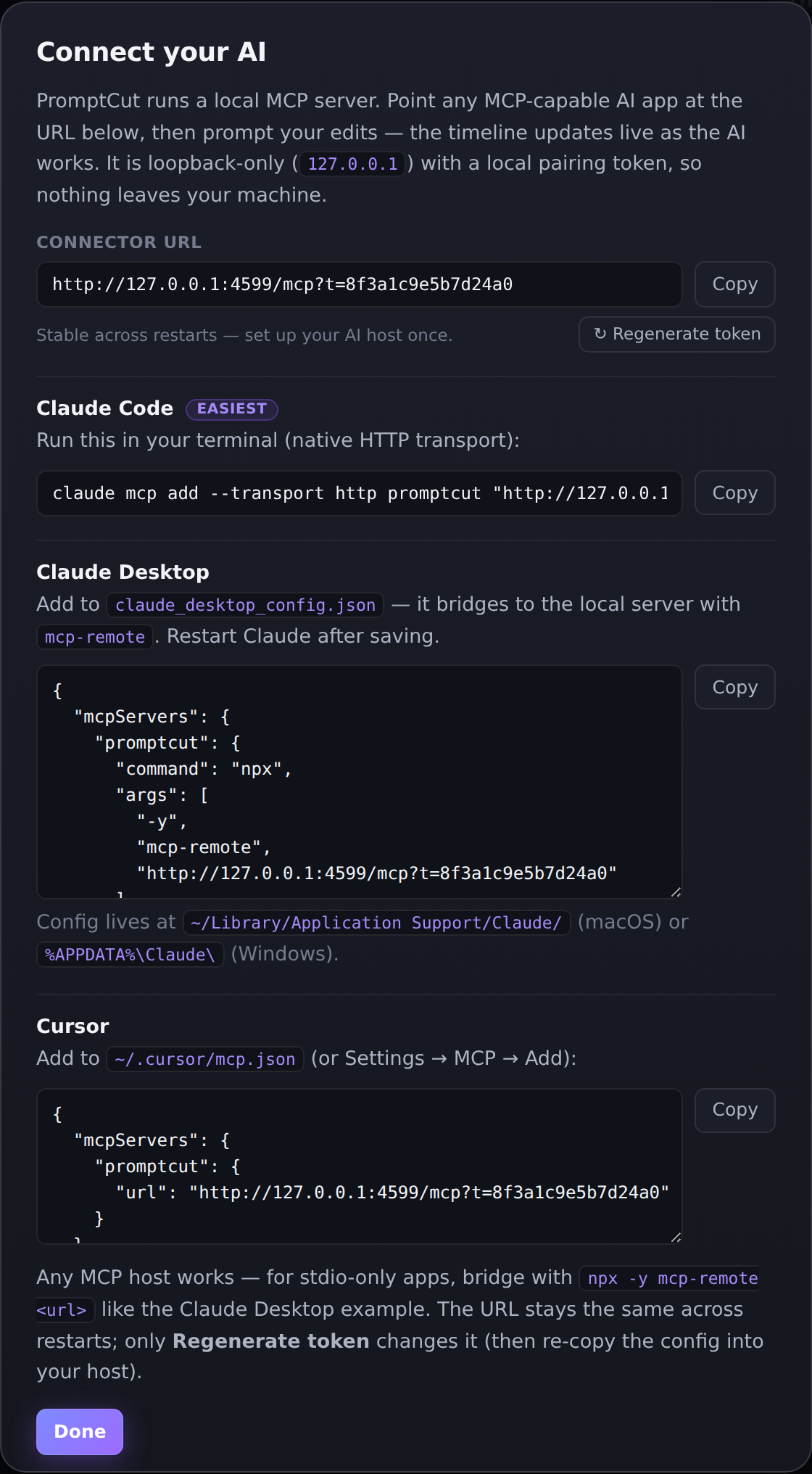
Add PromptCut to Claude Code, Claude Desktop, or Cursor with a single copy-paste line. The pairing token is stable across restarts, so you set it up once.
Prompt your edits
Describe what you want in plain language. The timeline updates live as your AI calls the editing tools, and you export a real MP4 when it looks right.
Connect your AI
Copy-paste setup for your host
Any MCP host works. These are the three most common. Stdio-only hosts bridge with npx -y mcp-remote <url>. The pairing token is stable across restarts, so you set this up once.
Claude Code
claude mcp add --transport http promptcut "http://127.0.0.1:4599/mcp?t=<token>"Claude Desktop
Add this to your claude_desktop_config.json:
{
  "mcpServers": {
    "promptcut": {
      "command": "npx",
      "args": ["-y", "mcp-remote", "http://127.0.0.1:4599/mcp?t=<token>"]
    }
  }
}
Cursor
Add this to ~/.cursor/mcp.json:
{
  "mcpServers": {
    "promptcut": {
      "url": "http://127.0.0.1:4599/mcp?t=<token>"
    }
  }
}
The toolset
29 tools your AI can call
Every tool below runs locally on native ffmpeg. Your AI picks the right ones from your prompt and chains them into a real edit.
| Tool | What it does |
|---|---|
| Edit | |
import_clip | Bring a video file onto the timeline. |
trim_clip | Set a new start and end for a clip. |
split_clip | Cut one clip into two at a point. |
reorder_clip | Move a clip to a new position in the sequence. |
remove_clip | Delete a clip from the timeline. |
set_clip_speed | Speed a clip up or slow it down. |
set_clip_volume | Adjust a clip's audio level. |
| Auto-edit (transcript-powered) | |
remove_silences | Detect and cut dead air, closing the gaps. |
remove_fillers | Cut filler words (um, uh, ...) using word-level transcription. |
| Text and captions | |
add_text | Place a title or caption on the frame for a set time. |
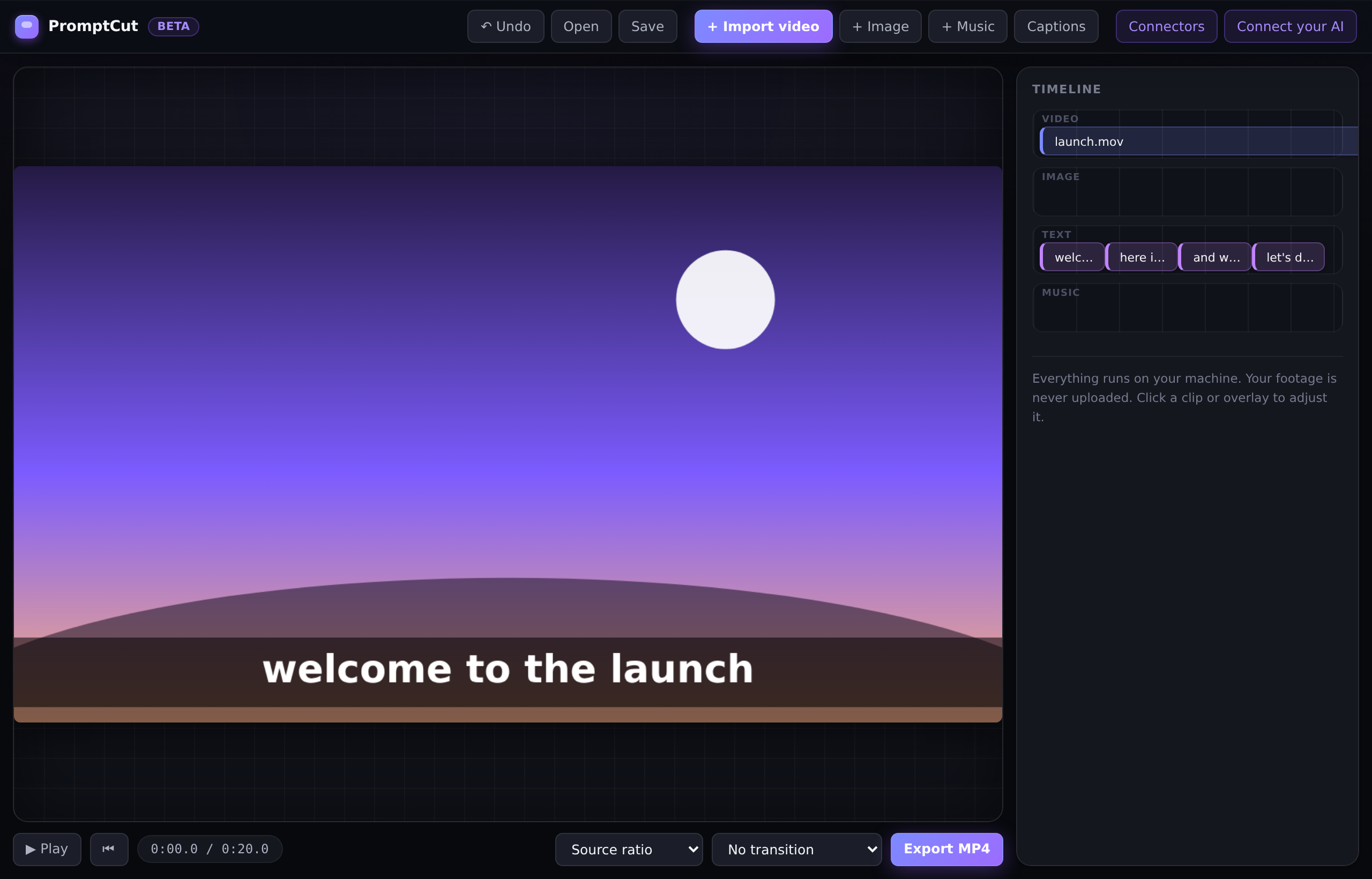
generate_captions | Auto-caption the video offline with bundled whisper.cpp. |
generate_word_captions | Word-by-word animated captions, TikTok and Reels style. |
| Look | |
set_clip_color | Color-grade a clip: brightness, contrast, saturation. |
set_look | Apply a look preset: warm, cool, bw, cinematic, vivid. |
set_clip_zoom | Ken Burns pan and zoom on a clip or still. |
set_transition | Add a real xfade crossfade between clips. |
set_aspect | Reframe to 16:9, 9:16, 1:1, or 4:5, padding or cropping. |
| Audio | |
set_music | Add a background music track. |
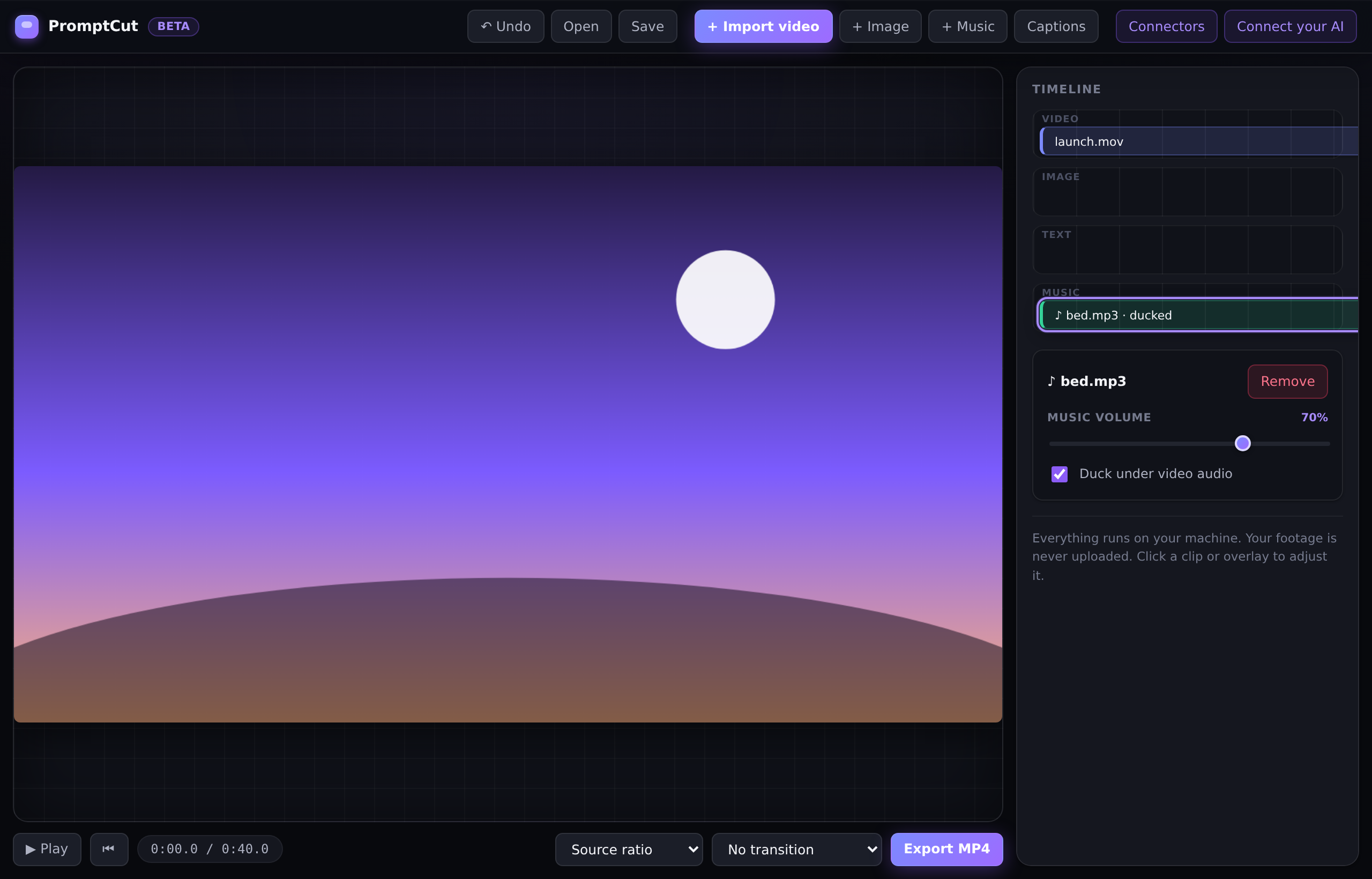
set_music_ducking | Lower the music automatically under a voice. |
| Images and picture-in-picture | |
add_image | Overlay an image on top of the video. |
add_image_clip | Insert a still image as its own clip. |
generate_image | Create an image through a connected image MCP server. |
remove_image | Remove an image overlay or still. |
add_video_overlay | Add a picture-in-picture video, like a webcam corner. |
remove_video_overlay | Remove a picture-in-picture overlay. |
| Safety and output | |
undo_last | Undo the most recent edit. |
clear_timeline | Start over with an empty timeline. |
get_timeline | Read back the current state of the edit. |
export_video | Render a real MP4 with native ffmpeg. |
In practice
Example prompts
Talk to PromptCut the way you would brief an editor. Each of these runs end to end.
- "Import launch.mov, trim to the first 20 seconds, add the title 'Launch Day' for 3 seconds, and export to my Desktop."
- "Make this a 9:16 Reel, auto-caption it, and duck the music under my voice."
- "Remove the silences and filler words, then add word-by-word captions."
- "Give clip 1 a cinematic look and a slow Ken Burns zoom, and drop my webcam in the corner."
- "Generate a sunset image and add it as an overlay for the first 5 seconds."
Questions
Frequently asked
Does it upload my footage?
No. The local MCP server is loopback only, and ffmpeg runs on your own machine, so your footage stays on your device.
Do I need an API key?
No. PromptCut uses your own AI app on your own subscription. No provider API keys are stored anywhere.
Which AIs work?
Any MCP host: Claude Code, Claude Desktop, Cursor, and others. Stdio-only hosts bridge with npx -y mcp-remote.
Is there a watermark or credits?
No. PromptCut is free. Nothing is gated behind credits or seats.
Can it caption my video?
Yes, offline, with bundled whisper.cpp. No audio is sent to any server.
Windows and Mac?
Yes, both Windows and macOS are supported.
How is it different from the browser editor at /video?
The browser editor runs in the browser with no install. PromptCut is the desktop version you drive with your own AI over MCP, adding offline captions and native speed.
Bring your own AI to a real timeline
PromptCut is free and runs entirely on your machine. Grab the source from GitHub, or read the story behind it first.