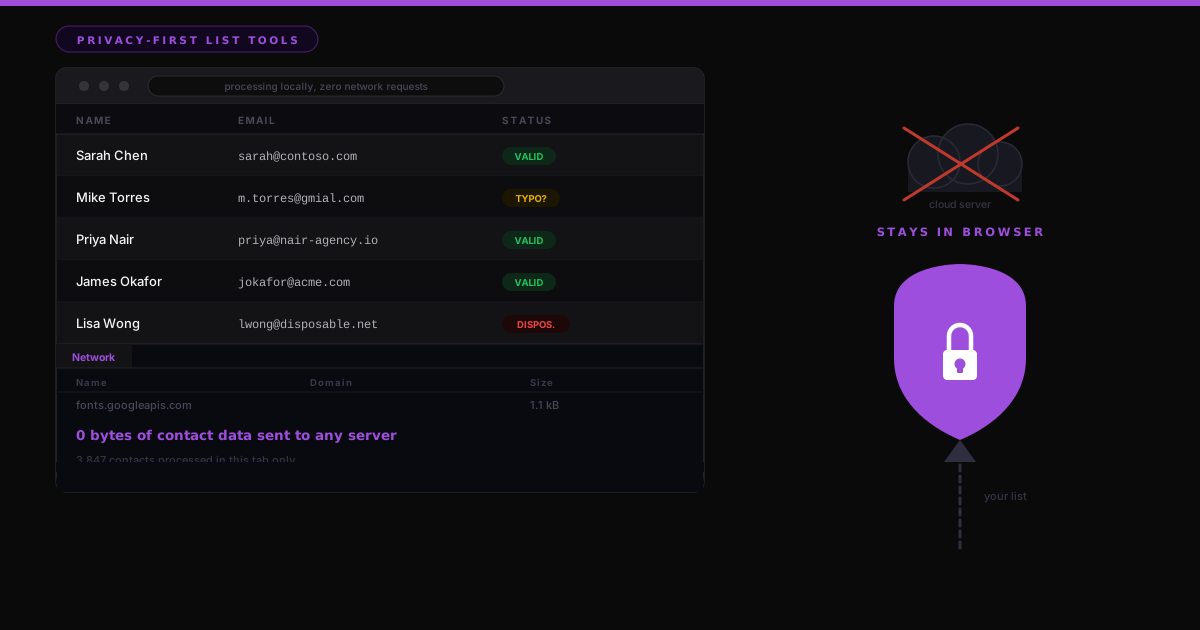

The free email verifier you pasted your list into just sent every customer name and address to a server you have never seen. The CSV splitter did the same thing. So did the list cleaner. You got a tidy file back in ten seconds, and in exchange you handed a company you cannot name a copy of your contact database.
I run marketing ops for a living, so this is the part that stops me cold. That upload is a real data transfer to a third party. Your customers' names and emails now sit in someone else's logs, under their retention policy, sometimes inside their training pipeline. Nobody on your team signed off on it, and your data-processing agreement almost never covers it.
A free tool is not free. You paid in data.
Picture what actually happens when you drop a list into an online cleaner. The file leaves your laptop, crosses the public internet, and lands on a machine owned by a business whose model you have not read. Best case, they delete it on a schedule you have no way to verify. Worse case, it lingers in a log, gets swept into a backup, or becomes training data for whatever they build next.
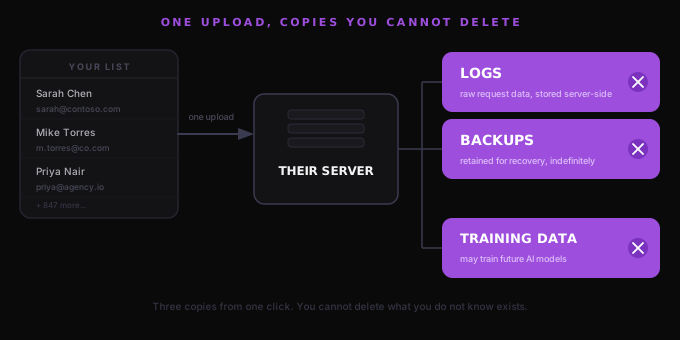
For a marketer that is not a convenience, it is a processing event. Under GDPR you just moved personal data to a new processor with no contract, no stated purpose, and no record of it happening. If a prospect ever files a request asking where their data went, "a free CSV splitter I found on Google" is not a sentence you want to read out to your legal team. And because lists decay and exports always carry duplicates, this is a job you repeat constantly, which means you are making that same quiet transfer over and over.
The same jobs, done where the list never leaves
None of these jobs need a server. Validating an email address, splitting a file, deduping two exports: that is all text processing, and text processing runs fine in the browser you already have open. I built three tools that do exactly that. The list stays in the tab the whole time.
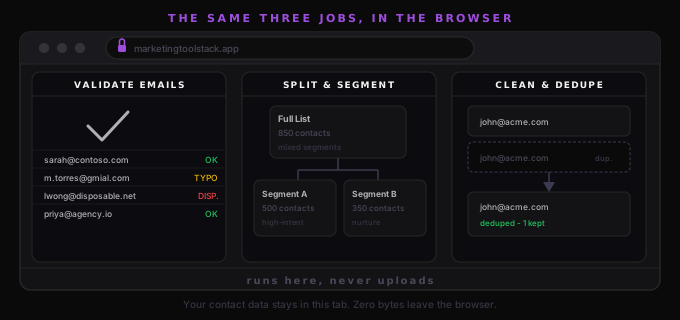
The Email List Validator and Cleaner is what I reach for when a trade-show scan dump lands in my inbox. It checks syntax, tags role addresses like info@ and sales@, flags disposable and free-consumer domains, and fixes obvious typos so gmial.com becomes gmail.com, without wrongly "correcting" a real corporate domain like acme.com. It dedupes, then hands you a clean CSV plus a second CSV listing everything it rejected and why. There is one honest limit on it, and I get to that below.
The List Splitter and Segmenter is the one I open before an A/B send. It splits a list five ways: into N equal parts, fixed-size chunks, round-robin buckets, a percentage split like 80/20 for a test cell, or one file per value in a column so you get a separate file per country, owner, or plan. There is an optional seeded shuffle when you want the split random but reproducible. Download each part on its own, or grab all of them as a zip.
The CRM List Cleaner and Deduper earns its place the day two CRM exports get merged and nothing lines up. It proper-cases names, strips company legal suffixes so Acme Inc. becomes Acme while IBM stays IBM, standardizes country names so US, USA and U.S. all resolve to United States, and expands job-title abbreviations so Sr. Mktg Mgr reads Senior Marketing Manager and Cto reads CTO. Then it dedupes by exact email or a fuzzy name-plus-company match, keeps the most complete record of each pair, and flags anything missing an email. Cleaned, Duplicates and Flagged live on separate tabs, and you export a CSV or a zip.
Open the network tab and watch nothing happen
Here is the part you can verify yourself, which is the entire point. All three tools run in JavaScript inside the page. The reference data they lean on, the disposable-domain list, the company suffixes, the country aliases, is written into the page code, not fetched from anywhere. These three pages even skip the analytics the rest of my site uses, because they touch contact data and I did not want a single tracker near it.
So test me. Open DevTools, switch to the Network tab, and run a 100,000-row file through any of the three. Watch the request list stay empty while the work finishes. "Your list never leaves your browser" is not a tagline here. It is something you can check in about thirty seconds, and I would rather you check it than take my word.
What these tools do not do
One straight answer on the email validator, because the distinction matters and vendors blur it. It does syntax and heuristic checking. It reads the address, the domain, and known bad patterns. It does not ping the mailbox to confirm a real person is behind it, because a live mailbox check needs a server to open an SMTP connection, and a server in the path is the exact thing I am refusing to add. So it will catch a malformed address, a likely typo, and a throwaway domain, but it cannot promise that a clean-looking address actually receives mail. If you do need deliverability verification, you want a service that sends packets on your behalf, and you should decide on purpose whether that upload is worth it.
The rule is smaller than it sounds
None of this is about being precious. Free web tools are useful, and most of the people running them are not villains. The point is narrower and more practical: when the job is plain text and the data is your customers, there is no reason to ship it anywhere. Do the work where it already lives, on your own machine, and the compliance question never has to be asked.
So here is the one I would put to you. How many of your customers' email addresses are sitting in the logs of a free tool you used once, liked, then could no longer name? I read every answer.
Amit